
Deferred Rendering
카테고리: Metal
Main Reference
- Metal by Tutorials - 4th edition
- The first pass renders the shadow map.
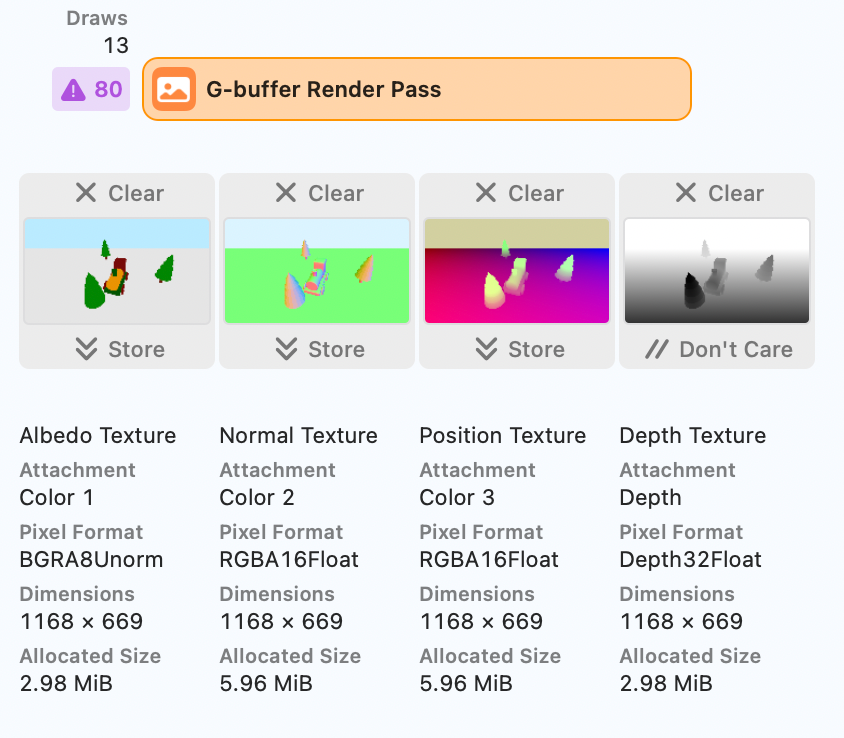
- The second pass constructs G-buffer textures containing theses values
- : albedo(with shadows), normals, positions, and depths
- Uisng a full-screen quad, the third and final pass processes the lights.
- In the same pass, accumulates lights information.
Apple GPUs can combine the second and third passes. Chapter 15, “Tile-Based Deferred Rendering”
G-Buffer Pass
let textures = [
  albedoTexture,
  normalTexture,
  positionTexture
]
for (index, texture) in textures.enumerated() {
	let attachment =
		descriptor?.colorAttachments[RenderTargetAlbedo.index + index]
		attachment?.texture = texture
		attachment?.loadAction = .clear
		attachment?.storeAction = .store
		attachment?.clearColor =
    MTLClearColor(red: 0.73, green: 0.92, blue: 1, alpha: 1)
}
descriptor?.depthAttachment.texture = depthTexture
descriptor?.depthAttachment.storeAction = .dontCare
- G-Buffer Pass가 끝난 이후 Lighting Pass에서는 Depth Texture를 사용할 필요가 없음
depthAttachment.storeAction = .dontCare
- 예제에서는 G-Buffer Pass의 descriptor를 draw 함수에서 매번 초기화하는 구조네.. (굳이..?)
fragment GBufferOut fragment_gBuffer(
  VertexOut in [[stage_in]],
  depth2d<float> shadowTexture [[texture(ShadowTexture)]],
  constant Material &material [[buffer(MaterialBuffer)]])
{
  GBufferOut out;
  out.albedo = float4(material.baseColor, 1.0);
  out.albedo.a = calculateShadow(in.shadowPosition, shadowTexture);
  out.normal = float4(normalize(in.worldNormal), 1.0);
  out.position = float4(in.worldPosition, 1.0);
  return out;
}
Since you don’t use the alpha channel of the albedo texture, you can store the shadow value there. 이런 식으로 빈 채널에 필요한 데이터들 추가해주면 효율적임.
Lighting Pass
struct LightingRenderPass: RenderPass {
  let label = "Lighting Render Pass"
  var descriptor: MTLRenderPassDescriptor?
  var directionalLightPSO: MTLRenderPipelineState
  var pointLightPSO: MTLRenderPipelineState
  var spotLightPSO: MTLRenderPipelineState
  let depthStencilState: MTLDepthStencilState?
  weak var albedoTexture: MTLTexture?
  weak var normalTexture: MTLTexture?
  weak var positionTexture: MTLTexture?

  func resize(view: MTKView, size: CGSize) {}

  func draw(
    commandBuffer: MTLCommandBuffer,
    scene: GameScene,
    uniforms: Uniforms,
    params: Params
  ) {
  // ...

  drawDirectionalLight()
  drawPointLight();
  drawSpotLight();
  }

  func drawDirectionalLight() {}
  func drawPointLight() {}
  func drawSpotLight() {}
}
You’ll accumulate output from all light types when running the lighting pass. Each type of light needs a different fragment function, so you’ll need multiple pipeline states.
// LightingRenderPass.draw()...
renderEncoder.drawPrimitives(
	type: .triangle,
	vertexStart: 0,
	vertexCount: 6)


// deffered.metal
constant float3 vertices[6] = {
    float3(-1,  1,  0),    // triangle 1
    float3( 1, -1,  0),
    float3(-1, -1,  0),
    float3(-1,  1,  0),    // triangle 2
    float3( 1,  1,  0),
    float3( 1, -1,  0)
};

vertex VertexOut vertex_quad(uint vertexID [[vertex_id]])
{
    VertexOut out {
        .position = float4(vertices[vertexID], 1)
    };
    return out;
}

fragment float4 fragment_deferredSun(...)
{
	uint2 coord = uint2(in.position.xy);
    float4 albedo = albedoTexture.read(coord);
    float3 normal = normalTexture.read(coord).xyz;
    Material material {
        .baseColor = albedo.xyz,
        .ambientOcclusion = 1.0
    };

    float3 color = 0;
    for (uint i = 0; i < params.lightCount; i++) {
        Light light = lights[i];
        color += calculateSun(light, normal, params, material);
    }
    color *= albedo.a;
    return float4(color, 1);
}
마지막 Lighting Pass에서는 화면 전체를 덮는 quad를 그려야 함. 이때 별도의 vertex buffer를 생성하고 바인딩할 필요가 없고, 바로 drawPrimitives 함수를 호출하면 된다. 그 대신 vertex shader가 직접 vertex data를 생성해야 하므로, metal 파일 내에 quad의 vertex data가 포함되어야 한다. 또한 quad size가 screen size [-1, 1]에 대응되므로, vertex의 position을 texture coordinate로 바로 사용이 가능하다.
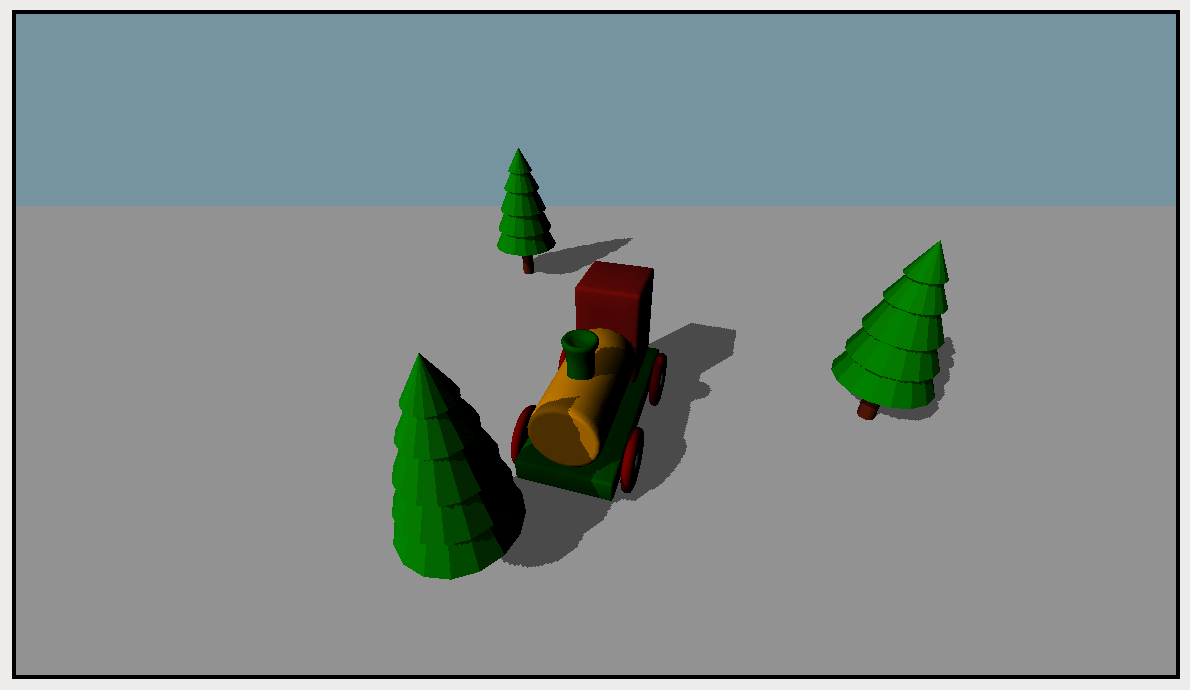
Lighting Pass에서 한 가지 문제가 발생하는데, 하늘이 clear color로 렌더링 된다는 것이다. 원래 아무 geometry가 없기 때문에 fragment function이 돌면 안되는데, deffered rendering 특성 상 모든 fragment에 대해 lighting 연산이 실행되기 때문이다. 이러한 문제는 stencil masks를 통해 해결할 수 있음.
Instancing
If you had one thousand point lights, a draw call to render the geometry for each light volume would bring your system to a crawl. Instancing is a great way to tell the GPU to draw the same geometry a specific number of times.
// Lighting Pass
static func buildDepthStencilState() -> MTLDepthStencilState? {
  let descriptor = MTLDepthStencilDescriptor()
  descriptor.isDepthWriteEnabled = false
  return Renderer.device.makeDepthStencilState(descriptor: descriptor)
}

// ...
renderEncoder.drawIndexedPrimitives(
  type: .triangle,
  indexCount: submesh.indexCount,
  indexType: submesh.indexType,
  indexBuffer: submesh.indexBuffer,
  indexBufferOffset: submesh.indexBufferOffset,
  instanceCount: scene.lighting.pointLights.count)

// .metal file
struct PointLightIn {
  float4 position [[attribute(Position)]];
};

struct PointLightOut {
  float4 position [[position]];
  uint instanceId [[flat]];
};

vertex PointLightOut vertex_pointLight(
  PointLightIn in [[stage_in]],
  constant Uniforms &uniforms [[buffer(UniformsBuffer)]],
  constant Light *lights [[buffer(LightBuffer)]],
  uint instanceId [[instance_id]])
{
  float4 lightPosition = float4(lights[instanceId].position, 0);
  float4 position = uniforms.projectionMatrix * uniforms.viewMatrix
				    * (in.position + lightPosition);
  PointLightOut out {
    .position = position,
    .instanceId = instanceId
  };
  return out;
}
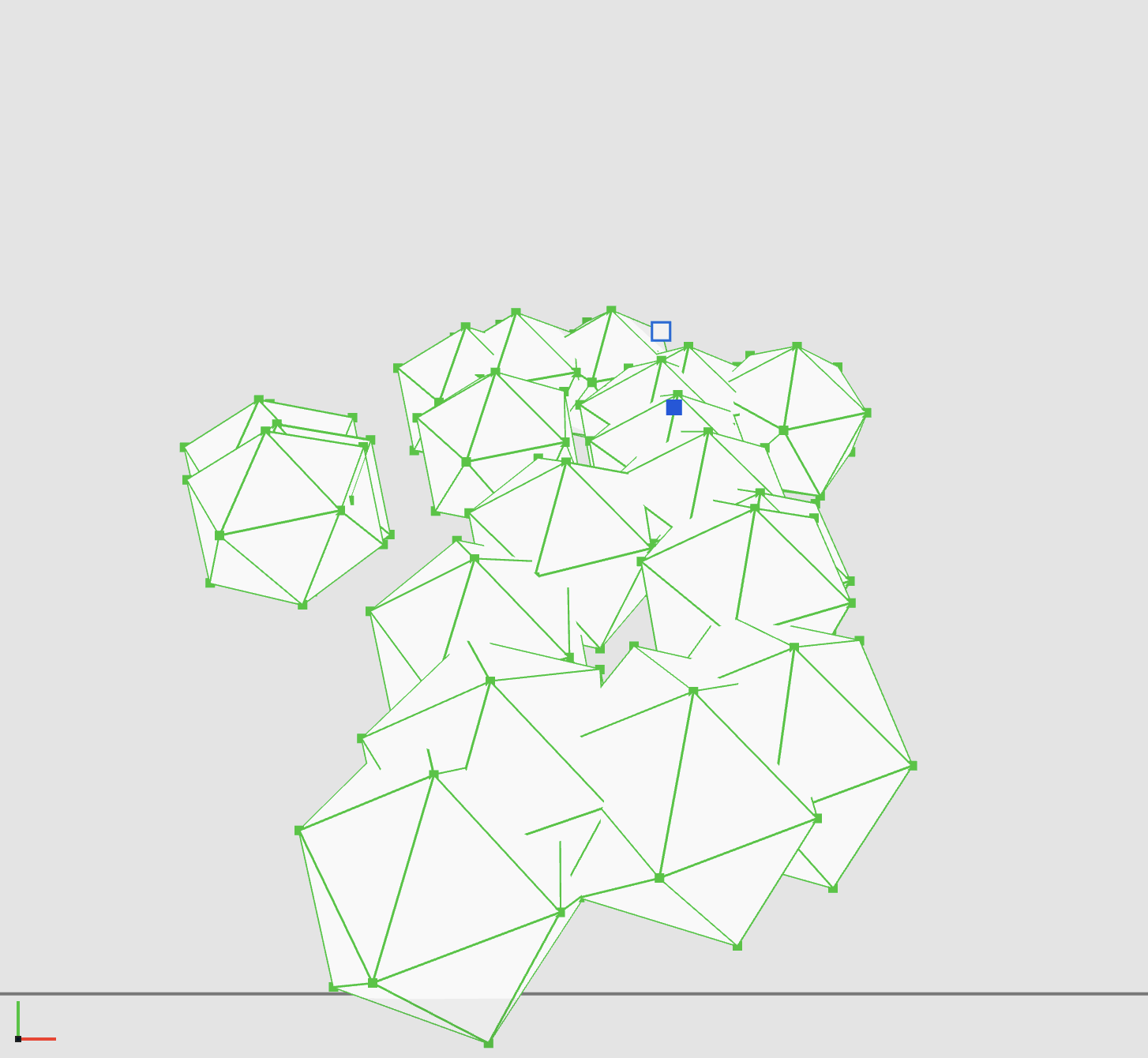
- Light를 위한 icosahedrons는 항상 render되기 원하기 때문에, depthStencilDescriptor 오버라이드.
- fragment에서는 rendering을 위한 position과, 적절한 light 정보를 가져오기 위한 instanceID가 필요.
- instanceID 값은 interpolation되면 안되기 때문에
[[flat]]attribute 명시 - point light의 position의 경우 rotation, scaling은 의미가 없음
- 따라서 model matrix를 곱하지 않고 단순히 lightPoition 값만 더해줘도 괜찮음
let attachment = pipelineDescriptor.colorAttachments[0]
attachment?.isBlendingEnabled = true
attachment?.rgbBlendOperation = .add
attachment?.alphaBlendOperation = .add
attachment?.sourceRGBBlendFactor = .one
attachment?.sourceAlphaBlendFactor = .one
attachment?.destinationRGBBlendFactor = .one
attachment?.destinationAlphaBlendFactor = .zero
attachment?.sourceRGBBlendFactor = .one
attachment?.sourceAlphaBlendFactor = .one
- PointLightPSO에 blending 옵션 설정
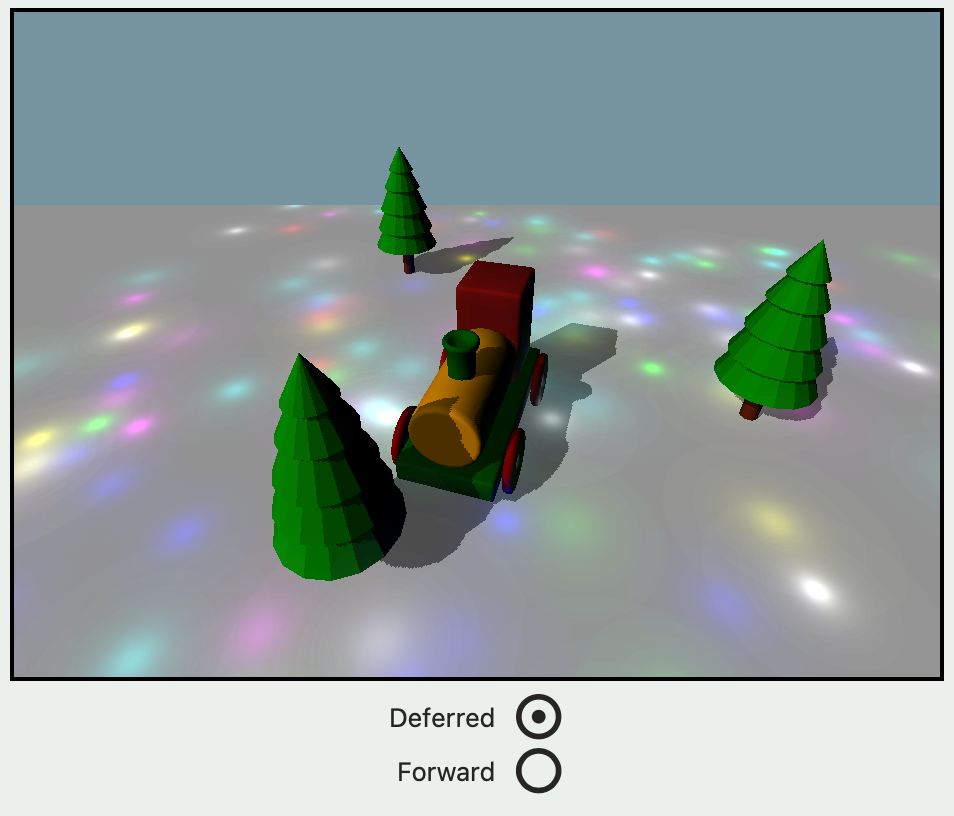
10000 Point Lights
| Deffered | 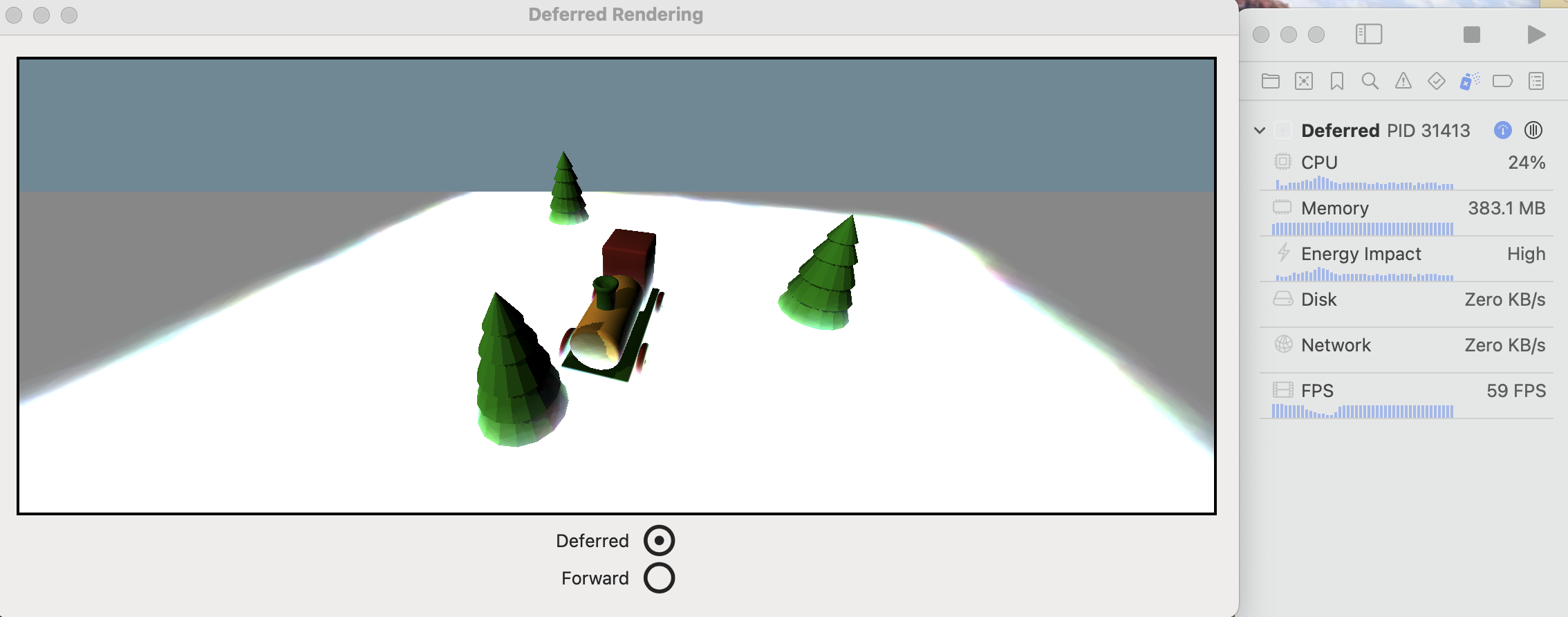 |
|---|---|
| Forward | 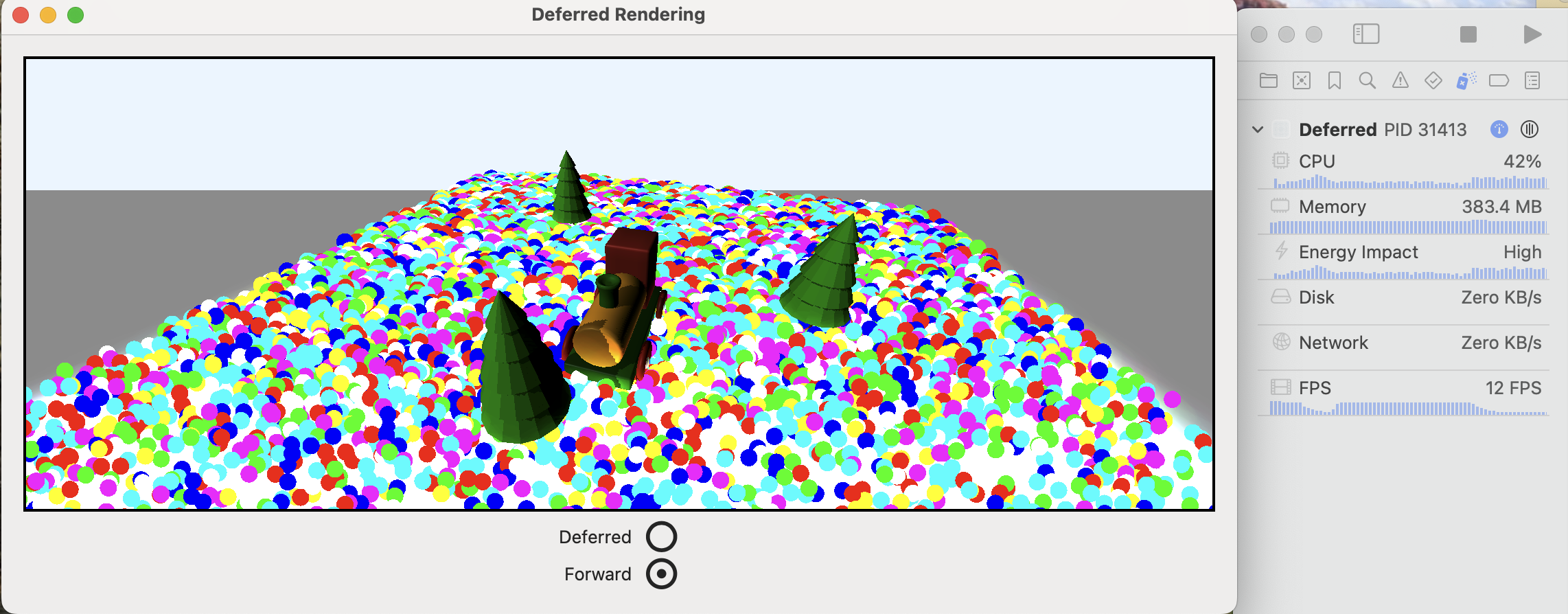 |
댓글 남기기